
NOL, Melon Ticket, or YES24 Global? A Practical Comparison
Prepare the correct ticket account, payment route, identity checks, cancellation terms, and fulfillment for the platform your Korean concert actually uses.

The ticket platform is not a preference you choose after comparing fees. The promoter assigns the seller, and that event page becomes the operating manual. NOL World, Melon Ticket Global, and YES24 Ticket Global differ most in where they store eligibility, how they confirm payment, and what turns an order into admission.
Use this guide to prepare the correct account. At the actual sale, the artist or promoter notice, the live event page, and the final checkout screen take priority over every general comparison—including this one.
The decision in thirty seconds
If the official link opens NOL World: expect event-by-event identity rules, possible passport or fan-club verification, and fulfillment that may be mobile-only. Verify on the same regional account named in the presale notice.
If it opens Melon Ticket Global: use the global account and let the final payment screen determine which methods your order accepts. Do not assume the general FAQ guarantees a particular wallet, card, or pickup method for every show.
If it opens YES24 Ticket Global: create its separate ticket account even if you already shop on another YES24 service. Some events now require the site's Verified Member process; the event page decides whether the ticket is will call, delivery, or mobile.
A recent community question about Korean concert ticketing names the same three sellers, but community experience cannot override the current event notice.
NOL World: keep region, membership, and identity aligned
NOL World is the international service many older guides call Interpark Global. For a fan-club presale, three records may need to match: the membership holder, the NOL account used for verification, and the person who attends. A current NOL event may also bind a verification completed on the global page to purchases on that same global page. Complete the process before the deadline; verification only establishes eligibility and does not reserve a seat.
NOL's general cancellation and usage policy makes the product's own deadline and fee schedule decisive. Read the KST cutoff before paying. A cancellation request is not the same as money already returned: an approved refund goes to the original method, while posting time depends on the payment provider and card issuer.
Fulfillment is equally event-specific. This dated NOL mobile-ticket event example instructed buyers to use a mobile ticket rather than physical delivery or will call. Treat it as an example, not a platform-wide promise. Another performance can require passport verification, a wristband, venue pickup, or a different mobile-ticket flow.
Melon Ticket Global: the live checkout is the payment answer
Create and test a Melon global account before the queue opens. If a presale notice requires fan-club linkage, use the account and spelling specified in that notice. Do not improvise a nickname or transliteration when the platform asks for the passport name.
The official Melon Ticket Global FAQ separates standard card guidance from digital-payment guidance. The safe reading is simple: only a method actually displayed at the final payment step is available for that order. Overseas cards can still fail because of issuer blocks, 3-D Secure, limits, or currency controls. A pending card authorization or spinning payment window is not a ticket; check My Ticket for a confirmed order before trying again.
A statement descriptor may show a payment processor rather than “Melon Ticket.” Compare the amount and timestamp with My Ticket before disputing it. Repeated submissions can create multiple authorizations even when only one order ultimately confirms.
Melon does not promise a risk-free seat change. Canceling to rebook releases the old seat, and the replacement can disappear. The event's deadline and fee schedule govern cancellation; refund posting depends on the original method and issuer. General guidance may describe box-office pickup, but bring only the documents and use only the fulfillment route specified by the current event.
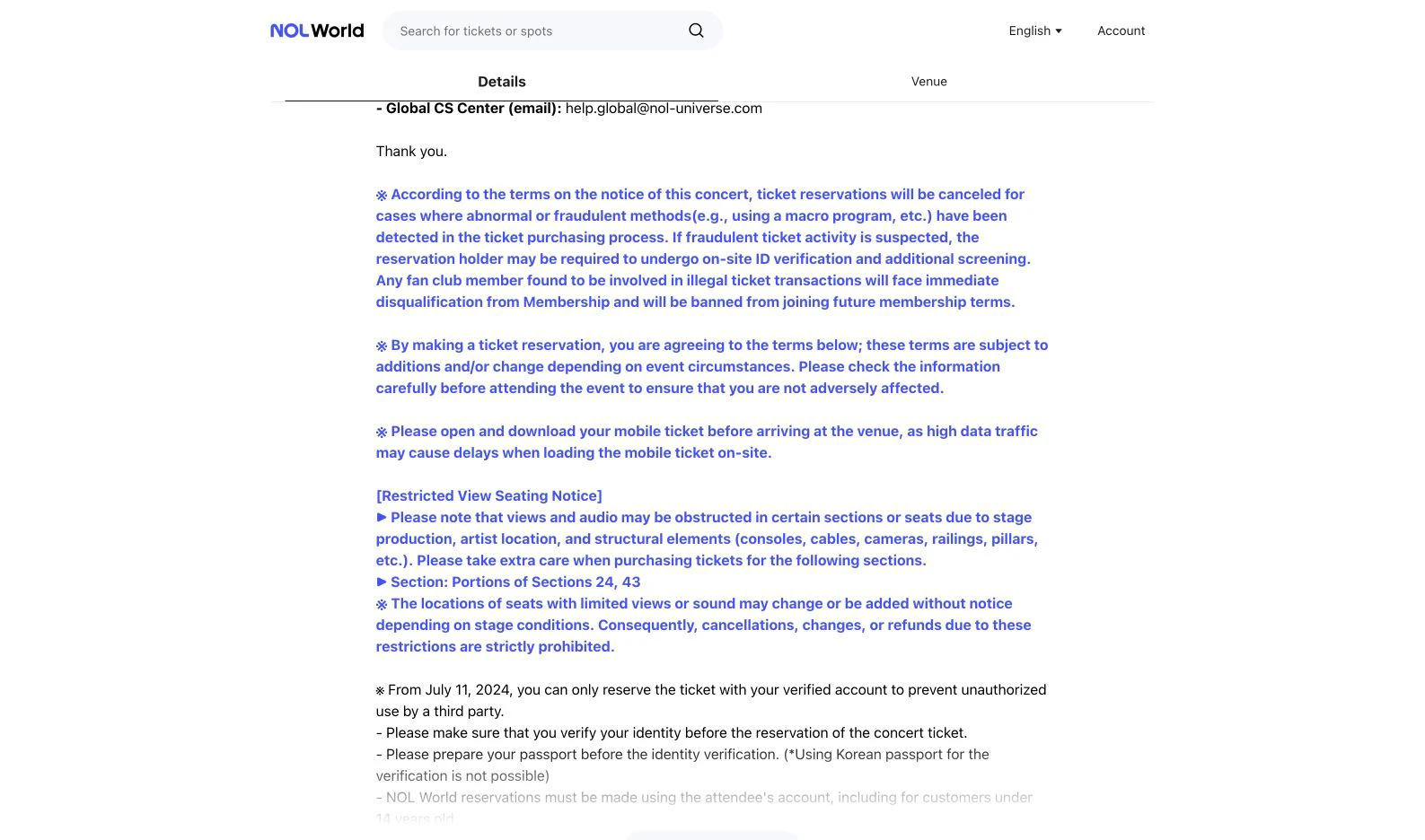
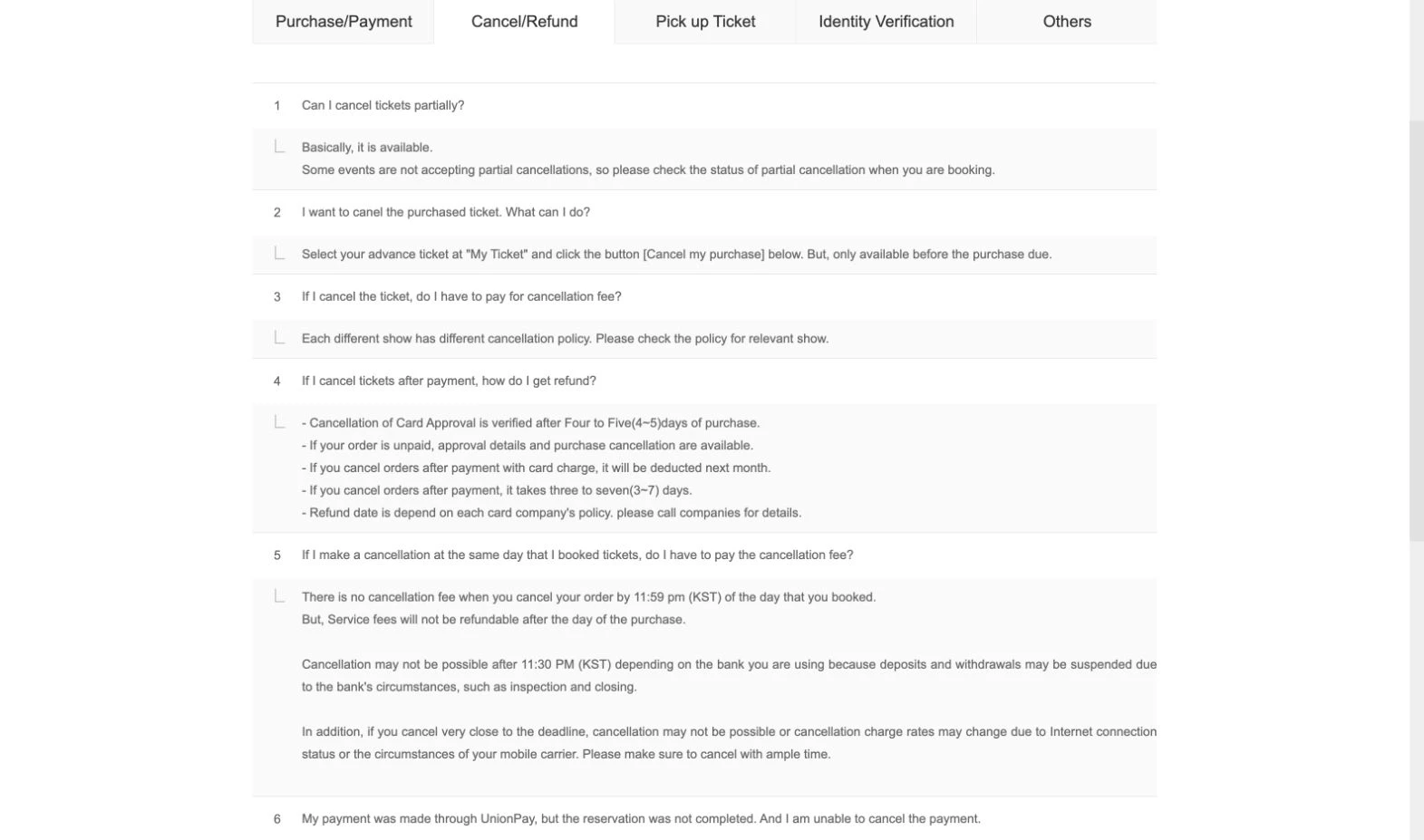
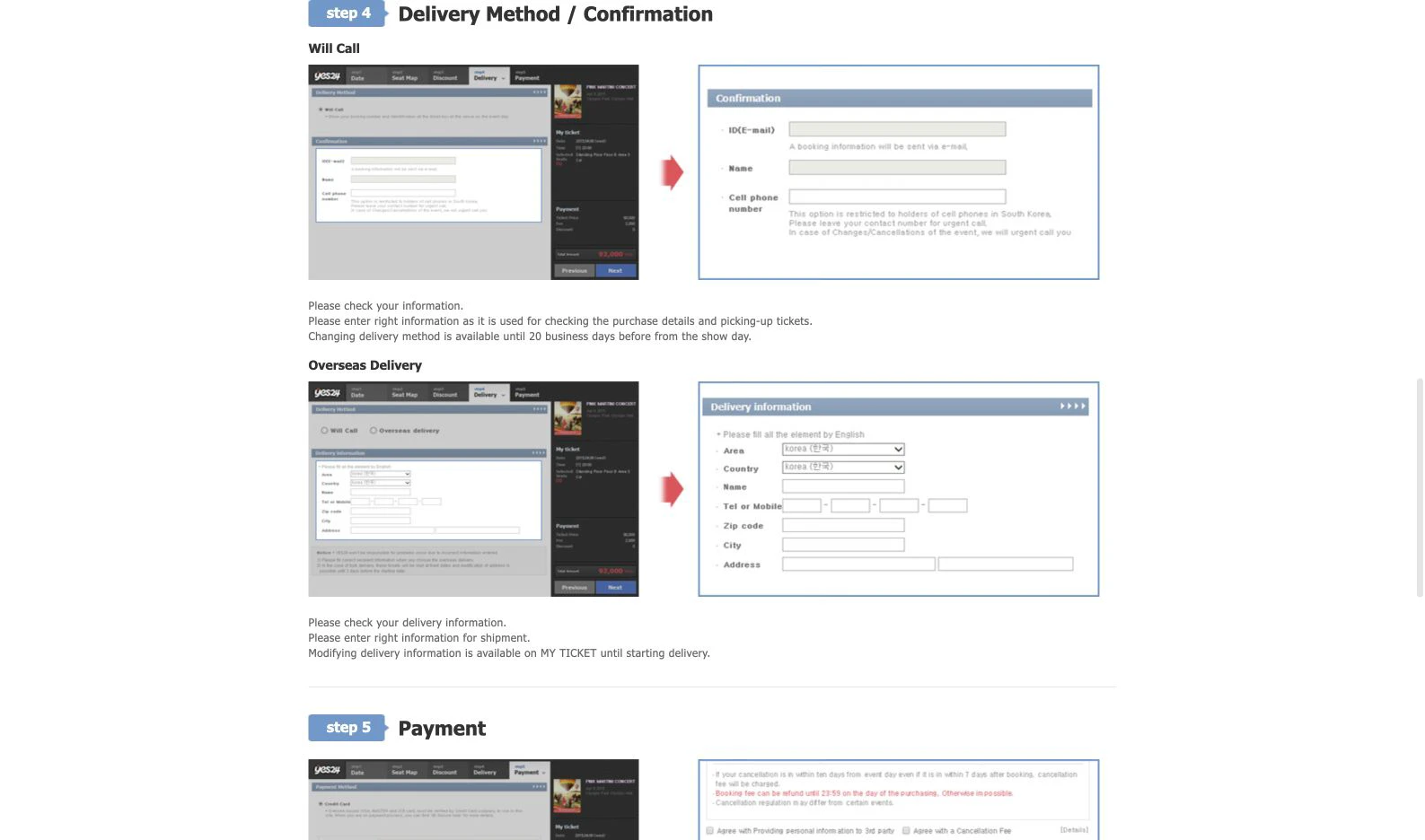
These screenshots document the interfaces at capture time. They do not guarantee that a future show uses the same ticket format, payment menu, or cancellation terms.
YES24 Ticket Global: separate account, event-first rules
The official YES24 Ticket Global FAQ says its ticket account is separate both from the Korean YES24 account and from the global shopping service. Register from the English ticket site and confirm that your name matches the document the event asks you to present.
The official YES24 purchase guide breaks booking into date, seat, discount, delivery, and payment stages. Its guide and FAQ currently describe card and PayPal conditions with different qualifications. Do not turn either general page into a guarantee: the live checkout and event notice decide what is available, and the cancellation terms shown before payment are the terms you must accept.
For selected performances, YES24's current FAQ describes a Verified Member process using a physical foreign passport and face verification. That is not universal to every event. If the show is marked Verified Member Only, finish early enough for review and keep the verified account information unchanged. Verification does not confer fan-club membership and does not secure a ticket.
For will call, the current FAQ generally asks for the physical valid passport and booking confirmation and warns that the event notice overrides. Overseas delivery availability also varies by show. Some events use mobile tickets. Never assume a confirmation email, printed receipt, or screenshot alone is valid for entry.
What “confirmed” actually means
During a busy sale, distinguish four states:
- Queue access: you may enter booking; no inventory is held.
- Seat selected: a temporary hold can expire.
- Payment authorized: the issuer may have reserved funds; the ticket order can still fail.
- Order listed in My Ticket: this is the platform record to save and verify.
If the page stalls after payment, open My Ticket in the same official account before resubmitting. Preserve the confirmation number and take a screenshot for your records, but do not confuse that screenshot with a live mobile ticket.
Identity and fan-club presale checklist
Read the presale notice for the exact membership edition, verification window, account region, and name format. “Same name” can mean the precise spelling held by the membership provider or passport. If the notice distinguishes Korean and global verification, stay on the designated path from verification through purchase.
Bring the original physical document requested by the event. A photocopy, phone image, national ID, or residence card is not automatically interchangeable with a passport. For minors, proxy pickup, disability seating, or a legal-name mismatch, use the event's own exception procedure rather than assuming a family relationship or explanation will be accepted.
Payment and cancellation boundaries
Before sale day, enable overseas online transactions and 3-D Secure with the issuer, check the card limit, and have a second eligible card in the same lawful buyer's name. Wallet availability, card-network exclusions, and foreign-exchange charges can change. Never send card details to a seller or helper outside the official checkout.
Before pressing payment, record the cancellation cutoff in KST, fee schedule, booking or service fees, and whether partial cancellation is allowed. A payment-method change usually means cancel and rebook, exposing the seat. Refund timing is an estimate, not a promise, and foreign-exchange differences or nonrefundable service charges can make the returned amount differ.
A ten-minute setup that works on all three
Open the ticket link from the artist, promoter, or venue's official notice. Confirm the domain, language or region, performance date, and sale time in KST. Sign in, verify the account name, finish any required membership or identity step, allow the booking window, and test that My Ticket opens.
Then read four event-specific items: purchase limit, payment options, cancellation cutoff, and fulfillment plus ID. After purchase, verify the order in My Ticket and follow the event page again shortly before the show because admission instructions can change.
The best platform is therefore the one the organizer officially appointed. Prepare its exact account and verification path, and let the current performance notice—not an old tutorial or someone else's successful purchase—decide payment, cancellation, and entry.
Policies and cited pages checked on August 12, 2026. Ticketing, verification, payment, and event rules can change; recheck the live event page before purchase and again before travel.
Official ticketing sources and image credits
- NOL World 2026 ONF fanmeeting notice: membership-name match, regional verification, and mobile ticket — official event-specific evidence; checked 2026-08-12. Also credits the NOL interface screenshot used in the slider.
- NOL World Terms and Conditions — official account and identity-verification framework; checked 2026-08-12.
- Melon Ticket Global — official global service entry point and credit for the Melon help-interface screenshot; checked 2026-08-12.
- YES24 Ticket Global FAQ, current canonical page — official current account, payment, pickup, and Verified Member guidance; checked 2026-08-12.
- YES24 Ticket Global booking guide, current canonical page — official booking-flow reference and credit for the YES24 guide screenshot; checked 2026-08-12.
- Cover image: Seoul Spring Festa crowd and stage, editorial asset record — cover asset used with the article's editorial image record; accessed 2026-08-12.
Last updated


