
Korea Concert Will Call: Passport and Pickup Checklist
Confirm will call, mobile ticket, or wristband exchange first. Then match the reservation name and pack the exact original ID and documents your concert requires.

If your order says Will Call, Venue Pickup, Box Office, On-site Pickup, or 현장수령, prepare to collect the ticket in person. The safest baseline for an overseas visitor is the reservation holder, an original physical passport, and the booking confirmation. But that is only the baseline: the notice for your exact performance and date overrides a platform’s general help page.
Start by confirming the ticket format. Some Korean concerts issue paper tickets at the venue; others use only a mobile QR code or exchange that code for a wristband. Going to a will-call desk when your show is mobile-only wastes the time you need for admission.
1. Confirm the fulfilment method, not just the ticket platform
YES24’s English purchase guide lists Will Call as a delivery option. The published capture from Melon Ticket Global’s FAQ directs website purchasers to the venue box office. Those are platform-level explanations, not a promise that every concert uses the same process.
The current NOL World notice for Stray Kids “RUN IT SEOUL”, for example, states that tickets are mobile-only and that no physical ticket or will-call service is provided. Its rules also say the attendee’s account, reservation, and ID must match.
Open your booking and the latest event notice. Look for the following labels:
- Will Call / Venue Pickup / 현장수령: collect a physical ticket or pickup item at the venue.
- Mobile Ticket / 모바일 티켓: open the ticket through the named official app or account; a screenshot may be prohibited.
- Wristband exchange: show the ticket and required ID at the specified booth before entry.
- Delivery: check the shipping status instead of assuming a venue copy will be waiting.
Save the event notice offline, but recheck the live page before leaving. Organizers can add or change instructions.
2. Make one name chain before concert day
Compare the name on your physical ID with the ticketing account and reservation. If fan-club presale verification was involved, include the membership record too. Use the spelling and order required by the event rather than trying to “correct” Romanization at the booth.
YES24’s current ticket-pickup FAQ warns that a mismatch between the YES24 account name and passport can cause collection trouble. The NOL event above requires the reservation and attendee ID to match perfectly. That NOL rule belongs to that performance, but it shows why the final event notice matters.
If a middle name, spacing, order, or spelling differs, contact the platform’s official global support before the show. Keep its written reply. Do not cancel a sold-out seat, delete a verified account, or edit membership information on your own unless support gives that instruction; the change may be irreversible.
3. Pack what the notice actually accepts
For a will-call order, prepare this small document set:
- Original accepted photo ID. For most short-term overseas visitors, a valid physical passport is the safest choice. A scan, photo, or photocopy is not a substitute when the notice requires the original.
- Booking confirmation. Keep the order number, event, performance date, seat or ticket type, and reservation holder visible. YES24 tells will-call customers to print their purchase details and present them with identification; follow that instruction for a YES24 pickup even if the information is also on your phone.
- Event-specific proof. Bring a fan-club membership screen or card, presale-verification result, disability document, payment card, or other item only when the exact notice lists it.
- Official mobile ticket, when required. Open it in the named app or account. A booking screenshot is useful for the order number but does not automatically replace a live QR code.
Do not choose an alternative ID because another concert accepted it. Residence cards, national IDs, driver’s licences, and expired documents are treated differently across events.
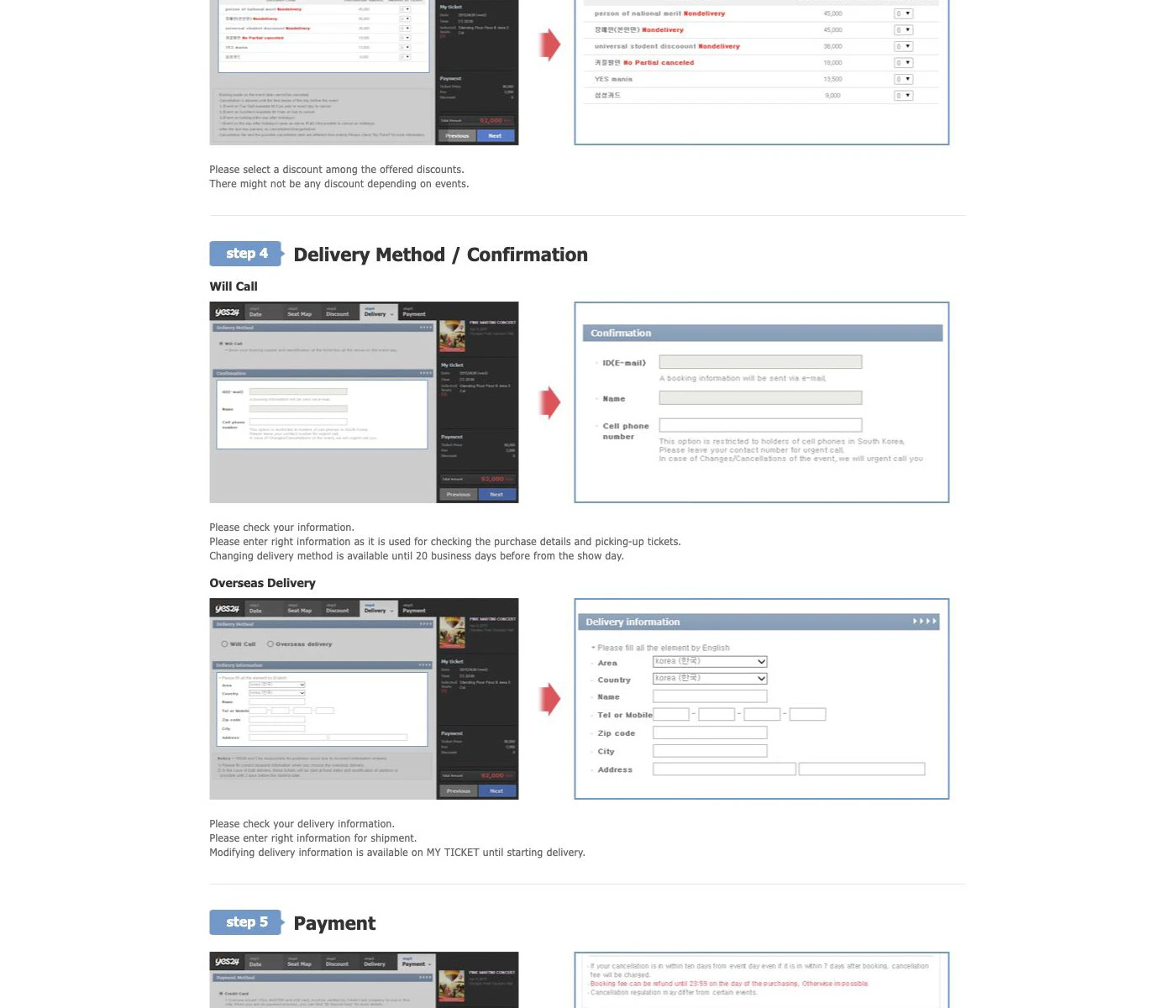
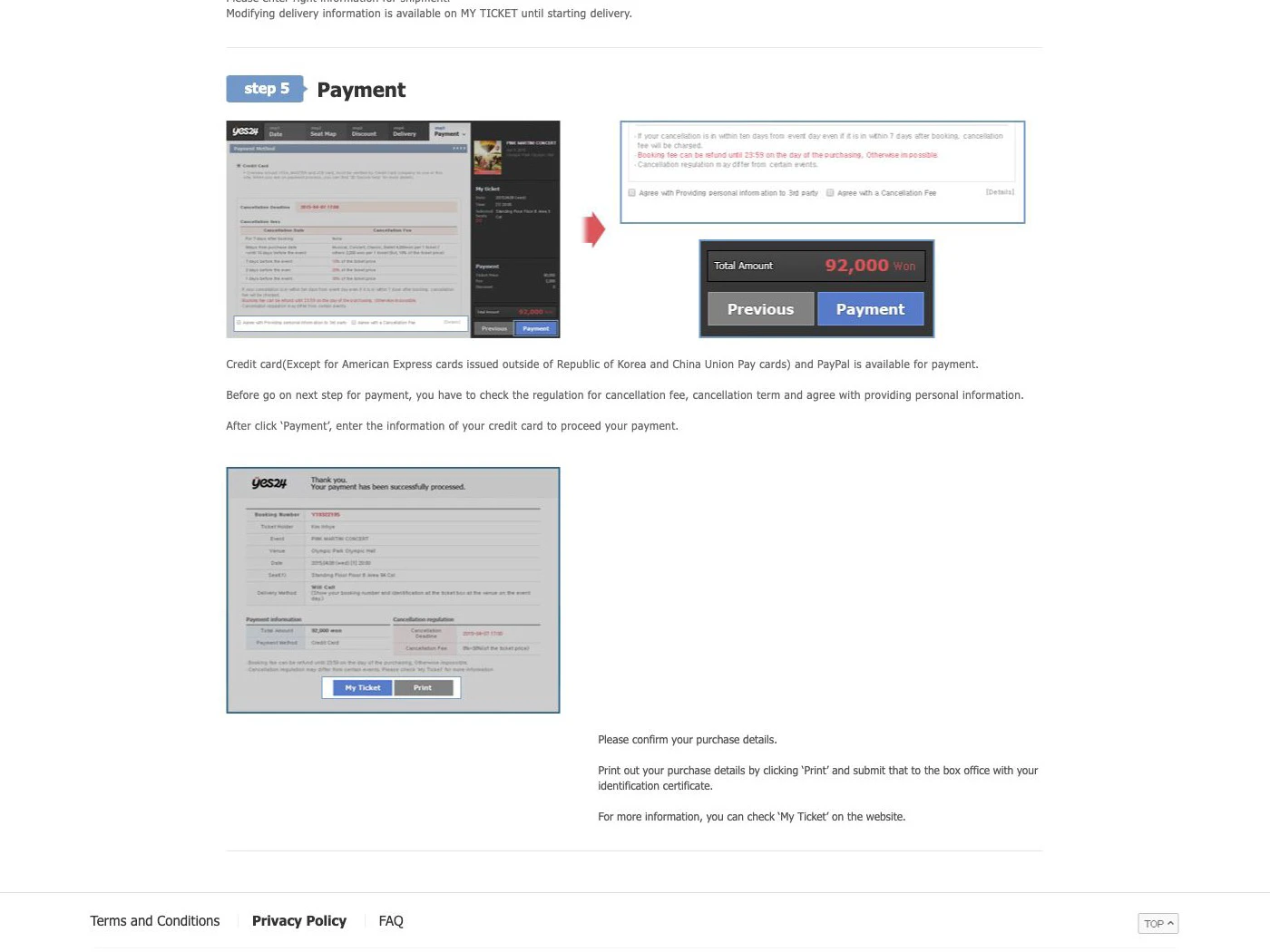
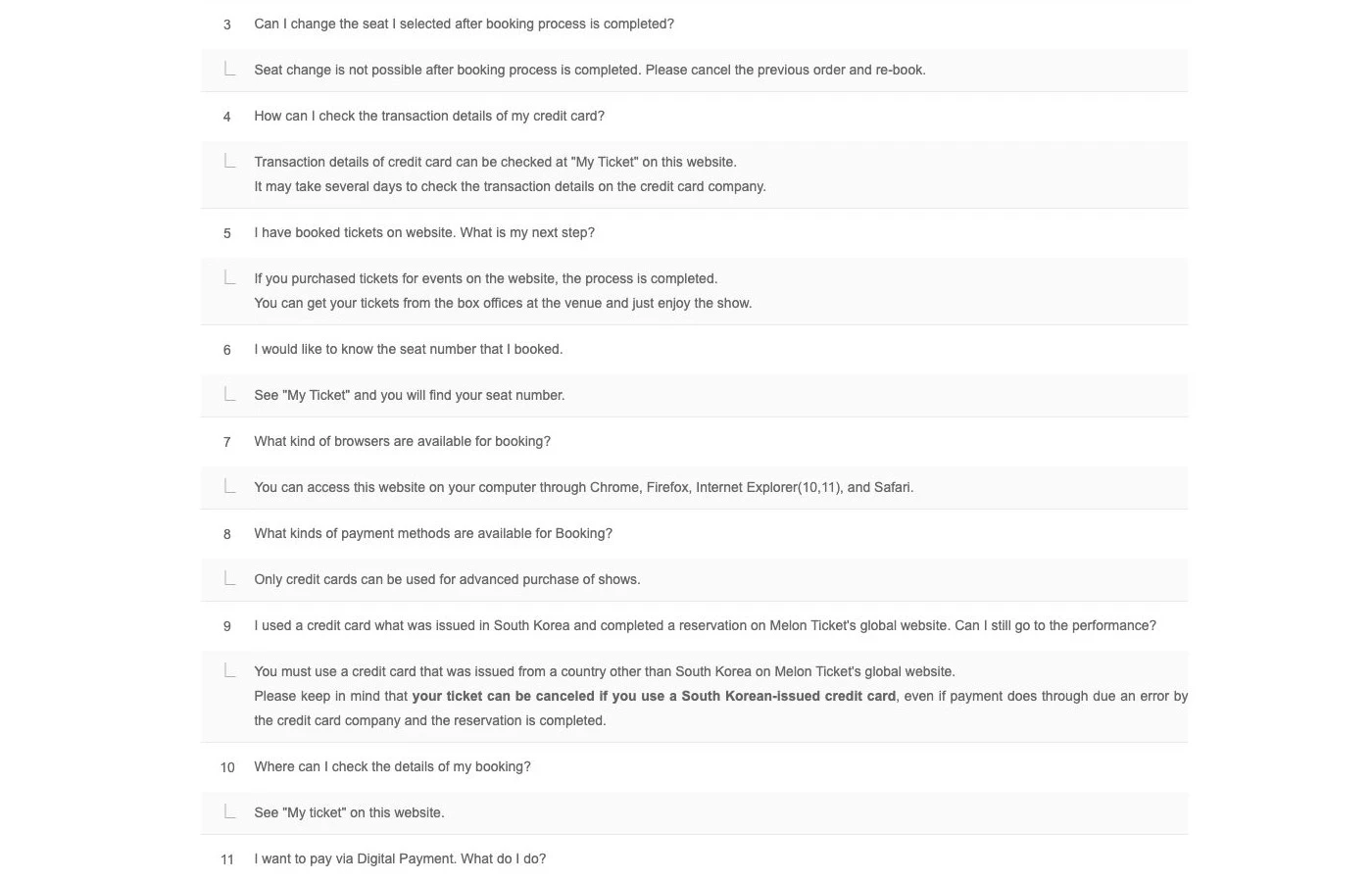
The platform screens show general pickup guidance. Your performance notice decides whether that guidance applies to your order.
4. Record the booth and its operating window
The venue name alone is not enough. Large arenas may separate global pickup, domestic pickup, fan-club verification, VIP benefits, identity checks, and wristband exchange. Copy the booth name, location map, opening time, and closing time from the latest notice.
Arrive with enough margin for the queue and for a document question to be escalated before admission closes. “Doors open” and “ticket booth opens” are different times. Do not use a pickup window from another tour date, even at the same venue.
At the desk, have the reservation number and passport photo page ready, but keep the passport in your possession unless staff need to inspect it. Use only the official booth and platform support channel; do not send passport images or payment details to an account that contacted you by direct message.
5. Treat proxy pickup and resale as exceptions, not shortcuts
YES24’s general FAQ says will-call tickets can be collected only by the ticket holder, while also noting that a show may publish a different policy. Unless your exact notice expressly permits proxy pickup and lists the documents, assume the named reservation holder must appear.
The same caution applies to transferred or resold tickets. A working screenshot or QR image does not prove that the attendee name will pass an ID check, and some mobile tickets cannot be shared. Use an official transfer or resale function only when the organizer provides one.
The 60-second check before leaving
- Confirm will call, mobile ticket, wristband exchange, or delivery for the exact performance date.
- Match the physical ID, ticketing account, reservation, and any fan-club membership.
- Pack the original accepted ID plus every document specifically named in the notice.
- Save the booking confirmation and notice offline; print the confirmation when instructed.
- Recheck the booth location, operating window, and latest update on the live page.
When a platform guide and an event notice differ, follow the event notice and ask official support to resolve anything unclear. That check—not a past attendee’s experience—is what protects the ticket you actually bought.
Facts checked: August 12, 2026.
Sources and image credits
- Delivery Spot cover image — published Seoul festival-arrival image supplied for this guide; reused under the operator’s August 9, 2026 rights confirmation.
- YES24 English purchase guide — Will Call option and the instruction to print purchase details and present them with identification; rechecked August 12, 2026.
- YES24 English ticket-pickup FAQ — physical ID, booking confirmation, ticket-holder pickup, name-match warning, and event-notice priority; rechecked August 12, 2026.
- Melon Ticket Global FAQ — official venue-box-office pickup guidance preserved from the published capture; page availability rechecked August 12, 2026.
- NOL World — Stray Kids World Tour “RUN IT SEOUL” — current event-specific example of mobile-only fulfilment, no will call, passport preparation, and matching reservation and attendee ID; rechecked August 12, 2026.
- Delivery Spot YES24 will-call screen — published web capture derived from the YES24 purchase guide above.
- Delivery Spot YES24 pickup-document screen — published web capture derived from the YES24 purchase guide above.
- Delivery Spot Melon Ticket pickup screen — published web capture derived from the Melon Ticket Global FAQ above.
Last updated


