
How to Stop Your Phone Night Photos in Korea From Blurring
Use Night mode, protect neon highlights, brace safely, control reflections and keep a clear path when using a tripod at crowded Korean viewpoints.

Use Night mode, brace the phone, and keep it still until the exposure timer has completely finished. On Korea’s neon-heavy streets, tap the brightest sign and pull the exposure down slightly; flash usually makes the scene harsher and can switch Night mode off.
That is the short answer. The longer one is that a sharp night photo is less about owning the newest phone than controlling three things: movement, bright lights, and reflections.
Do this before you press the shutter
Wipe the main camera lens with a clean, soft cloth. A faint fingerprint is almost invisible by day, but at night it turns every streetlamp into a milky halo. If you use a clip-on lens or a cheap camera-lens protector, take one test photo without it; extra glass can create duplicate lights and green ghosts.
Stay on the phone’s 1× main camera unless you have a good reason to change. Digital zoom throws away detail, while an ultra-wide camera often has a smaller sensor and can look softer after dark. It is usually better to take the 1× photo and crop a little later.
Then follow this sequence:
- Turn on Night mode, or let the phone activate it automatically.
- Tap the brightest important object—often a sign, illuminated façade, or the moonlit edge of a building.
- Drag the exposure control down a little until letters and lamp shapes reappear. Do not make the entire preview look like daytime.
- Tuck your elbows against your ribs. Press a wrist, forearm, or the side of the phone against a stable vertical surface when one is safely available.
- Press the shutter gently and do not move when the button appears to respond. Wait until the countdown or capture animation ends.
That last pause is the step people miss. Apple tells iPhone users to hold still until Night mode finishes; Google’s Pixel guidance says the same for Night Sight. These modes collect several moments of light and combine them, so putting the phone away half a second early can spoil the frame.
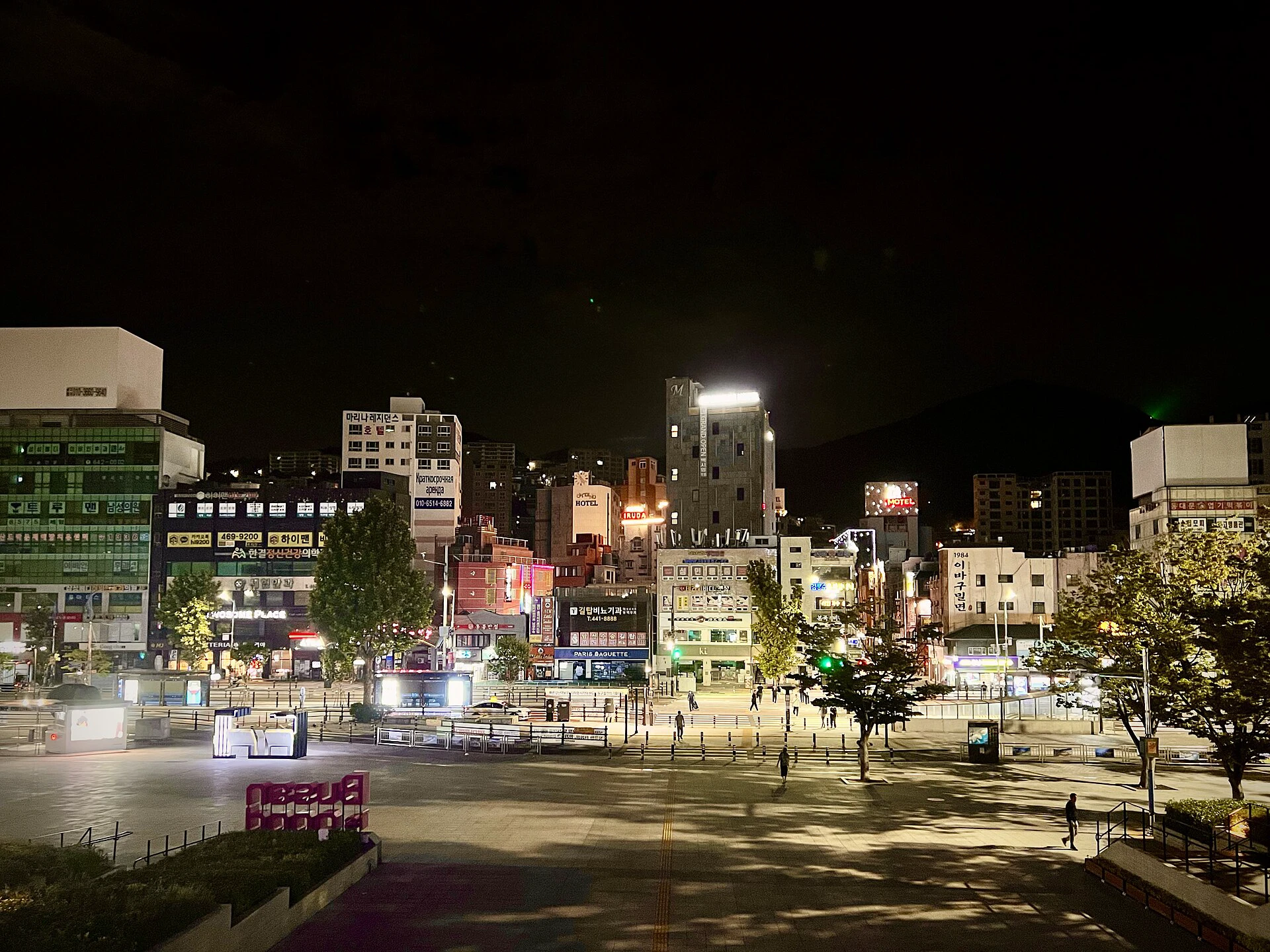
The Busan scene above shows why reducing exposure matters. A phone can reveal plenty of detail in the dark street while the brightest hotel signs and lamps approach pure white. Expose for those highlights first; the shadows are easier to lift later than blown lettering is to recover.
Night mode cannot freeze a moving person
Night mode can compensate for slight hand movement, but it cannot fully correct a friend who turns their head during a multi-second capture. If the buildings are sharp and the face is smeared, the phone did not miss focus—the subject moved.
For a portrait, place your friend near a shop window or another broad, soft light rather than directly under a tiny ceiling lamp. Ask them to hold still through the entire capture, not just the tap. Take two or three frames. If they need to keep walking, leave Night mode and accept a darker regular photo; a shorter exposure often preserves the gesture better.
Avoid firing flash across a crowded street, at a performance, or into another person’s face. Besides being intrusive, flash can disable automatic Night mode on some phones and usually lights only the nearest few metres.
A railing can help, but do not balance the phone over an edge
A full-size tripod is not necessary for most evenings. What you need is a secure point of contact. With both hands still on the phone, lean your forearms against a wall or the inner side of a railing. A small grip or mini tripod can help on a wide, level surface, but never leave the phone loose above water, traffic, or a drop.
If the phone is genuinely fixed, use a two-second timer or a remote shutter so your tap does not shake it. Skip the timer for a moving subject—you will lose the moment while waiting.
Public railings are shared space, not a camera shelf. Keep straps, legs, and bags on your side; do not scratch the surface, occupy a viewpoint for long, or block the person beside you. Wind, bridge vibration, and people leaning on the same rail can still move the camera, so take a second frame before leaving.
Make rain reflections deliberate
Wet pavement is one of the easiest ways to turn a flat city photo into something layered. Lower the phone toward the ground, keep the lens level, and place the reflected sign or traffic light in the lower half of the frame. The reflection does not have to mirror the whole skyline; one clean streak of red or green is often enough.
These two Naver-discovered examples use the same weather in different ways. One lets the wet road carry moving traffic lights; the other uses a quieter flooded plaza to stretch lamps and skyline colours toward the camera.
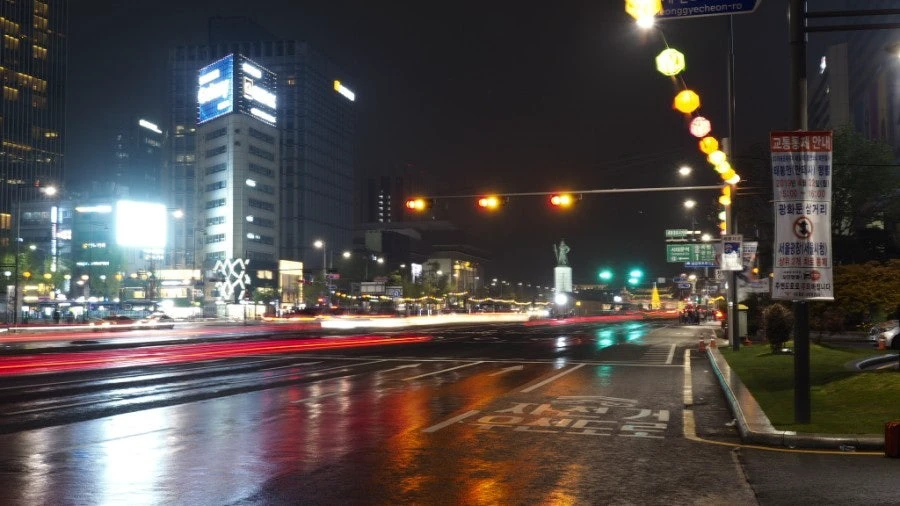
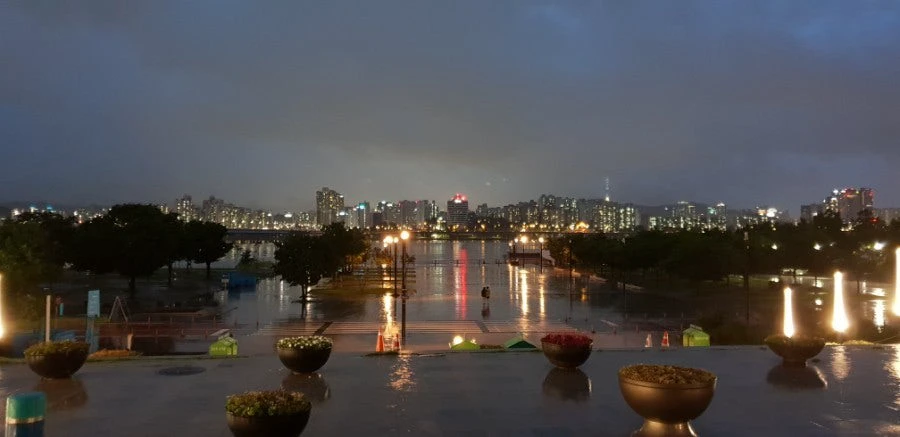
Rain also creates the worst lens flare. Wipe the lens again after taking the phone out of a damp pocket, shade it from an off-frame lamp with your free hand, and shift a step left or right. If a green dot moves in the opposite direction from the bright lamp as you reframe, it is an internal reflection, not a mysterious light in the sky.
Shooting through an observation-deck or café window needs a different fix. Turn off the flash, move the lens close to the glass without pressing hard, and block indoor light around the phone with a dark sleeve or hand. Never attach equipment to the glass or obstruct a venue walkway; indoor attractions can set their own equipment rules.
Blur can be the subject, not the mistake
Camera shake makes every fixed object wobble in the same direction. Intentional light trails look different: the building and road edge stay sharp while cars draw continuous lines.
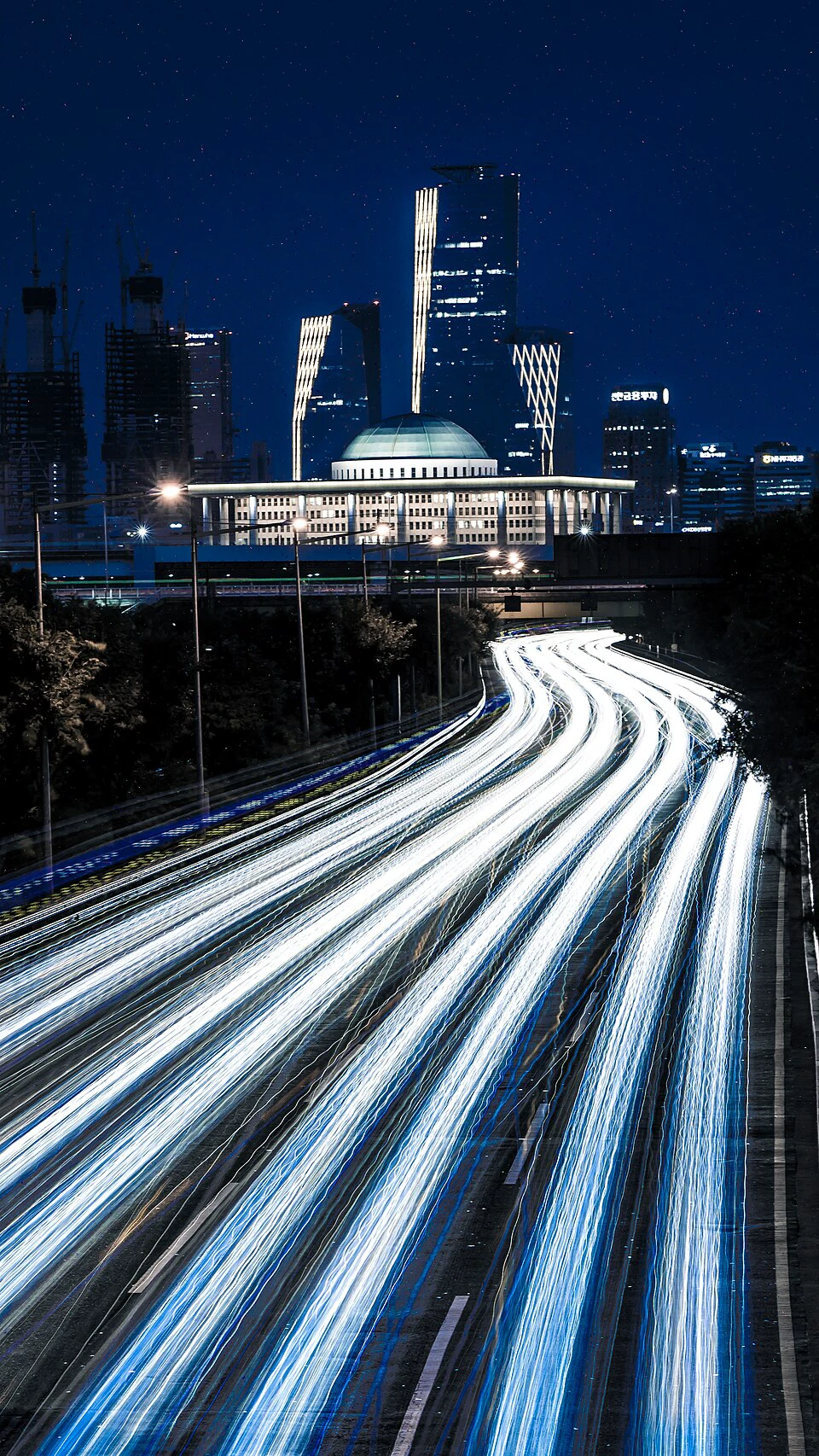
The Olympic Boulevard image makes that distinction obvious. A phone with manual controls can create a similar effect from a completely fixed position with a longer shutter speed and a timer. On an automatic phone, wait for a stream of cars, keep the camera braced, and try the longest Night mode capture the phone offers. Results vary, but the test is simple: if the National Assembly and lamp posts are sharp, the moving lights are a creative choice.
Do not try this from a road shoulder, cycle lane, staircase, or anywhere you need to step backward into traffic. If the shot requires occupying one of those spaces, skip it.
Tripod etiquette at a busy Korean night spot
Using a tripod in public is not automatically strange. The practical question is whether your setup takes space from everyone else. A useful rule is: small footprint, short session, clear path.
Keep tripod legs away from tactile paving, station gates, bridge approaches, entrances, queues, bicycle lanes, and the centre of a viewpoint. Set up at the edge, finish the shot, and fold the tripod before moving. If staff have posted a rule or ask you to move, follow that instruction; museums, observatories, festivals, and private rooftops may apply venue-specific restrictions.
Crowds are part of many Korean night scenes, but they are not free portrait subjects. A wide street view with incidental passers-by is different from aiming a long lens at one identifiable stranger. Ask before making someone the subject, and review the frame for faces, children, number plates, or phone screens before posting it publicly.
The best one-minute recipe is uncomplicated: clean the lens, use 1×, turn on Night mode, expose for the brightest sign, brace with both hands, and wait through the full capture. Take one safe frame first. Then—and only then—experiment with reflections, moving people, or light trails.
Sources and image credits
- Apple Support: Use Night mode on your iPhone — current Night mode operation, capture time, stability, flash, and Live Photos guidance; published February 18, 2026.
- Google Pixel Camera Help: Take photos in low light or at night — Night Sight stability and flash guidance.
- Samsung Support: Use Night mode for low-light photography — Galaxy Night mode workflow and multi-frame processing; last updated February 28, 2024.
- Samsung Global Newsroom: Seoul After Sunset — official Seoul night-mode photo essay and featured-image source; photo © Samsung Electronics.
- Jason Teale: Capturing the Vibrant Nightscape — Korea-based professional photographer’s field advice on stability, reflections, composition, and post-processing.
- r/koreatravel: Is it weird to use a tripod in Korea? — community experiences used to identify recurring questions about public-space etiquette; not treated as official policy.
- Olympic Boulevard Expressway Light Trails — photo by Sunyu Kim (mauveine.kim), CC0 1.0, discovered through Google Images.
- Busan night scene, September 20, 2024 — photo by Sharon Hahn Darlin, CC BY 2.0, discovered through Google Images.
- 장대비속에 비친 야경 — photo by Naver blogger 아름다운마을, original asset
20180701_201720.jpg, discovered through Naver Image Search. - 야경 찍으려다 비옴 ㅠ — photo by Naver blogger 배경화면의 블로그, original asset
OI000173.JPG, discovered through Naver Image Search. - Cover image: smartphone on a compact tripod photographing a lit palace — Delivery Spot cover asset; usage permission recorded by the operator on 9 Aug 2026.
Last updated


