
CATCHTABLE vs NAVER: How to Book Korea Restaurants
Start with CATCHTABLE Global, then use NAVER when the exact branch offers Book. Compare phone, passport, deposit, confirmation and waitlist rules.
Start with CATCHTABLE Global if the exact restaurant branch appears there. It is built for international visitors and does not require a Korean phone number. If that branch is missing, check NAVER for a Book button: NAVER now supports many non-resident foreign visitors, although the restaurant can disable that flow and passport verification may appear during checkout.
The difficult part is usually choosing the right path, not booking every popular restaurant in Korea. Lock the Korean branch name, address, date, time and party size first. Then use the shortest option that branch actually offers.
Choose the booking path
- CATCHTABLE shows Reserve: use CATCHTABLE Global. It supports Google, Apple or email sign-in, foreign-issued cards for deposits and 20 interface languages.
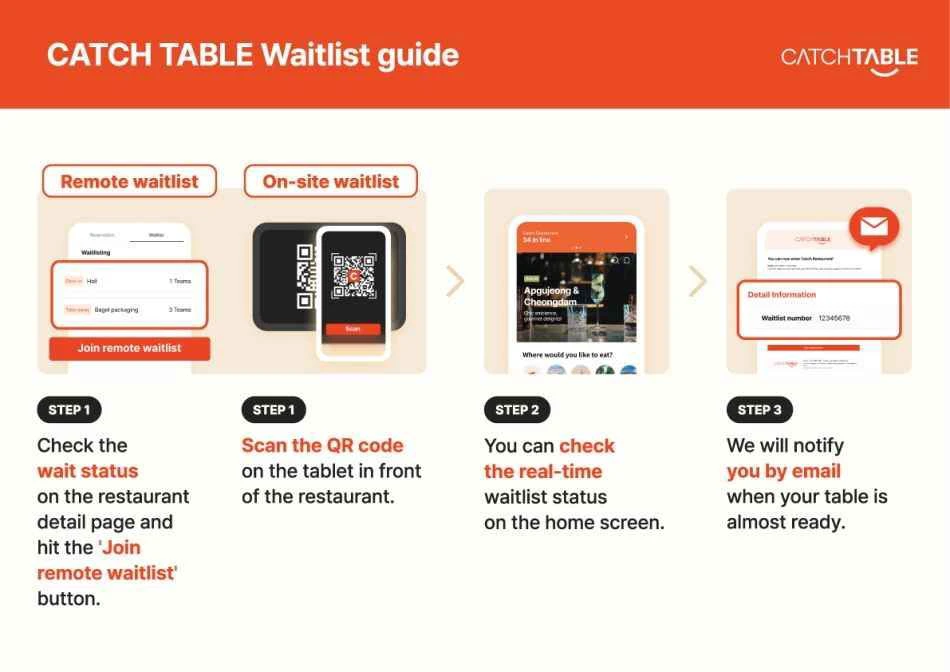
- CATCHTABLE shows Join Remote Waitlist: that is a same-day queue, not a future reservation.
- NAVER shows Book: the business uses NAVER Booking, but it may still restrict particular services or foreign-visitor bookings.
- NAVER says Booking request or Booking in progress: the restaurant has not confirmed the table yet.
- Neither platform offers an action: check the exact branch's official website, Instagram or notice. The absence of a button does not prove that the restaurant is sold out.
Do not create two accounts before you know which platform the restaurant uses. For a reservation release time, set up only the required account in advance and keep the Korean branch name ready to paste.
A four-step check that prevents most mistakes
- Match the branch. Korean restaurant groups often have several locations with different booking windows and policies. Compare the Hangul name and address, not just the English spelling.
- Read the action label. On CATCHTABLE, Reserve, Join Remote Waitlist and on-site waitlisting are three different flows. On NAVER, a Book button or booking link appears only when that business uses NAVER Booking.
- Review the final screen. Confirm date, local time, party size, deposit, cancellation deadline, late-arrival rule and whether the result is a request or a confirmation.
- Save the booking record. Keep the branch address, Korean name, booking number and status on one screenshot. A card alert proves that a payment attempt occurred; it does not replace the platform's confirmation.
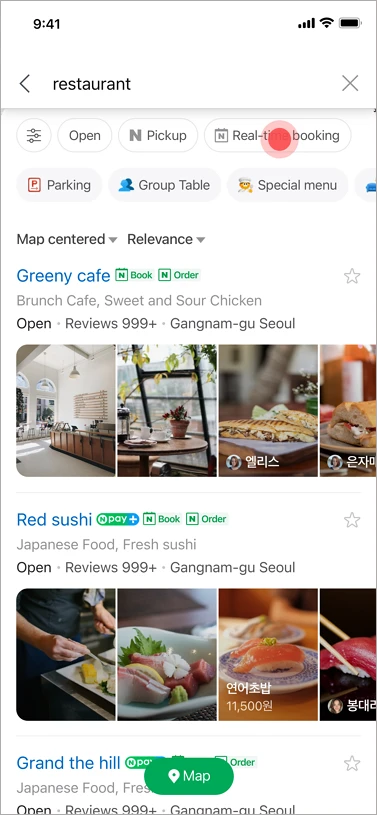
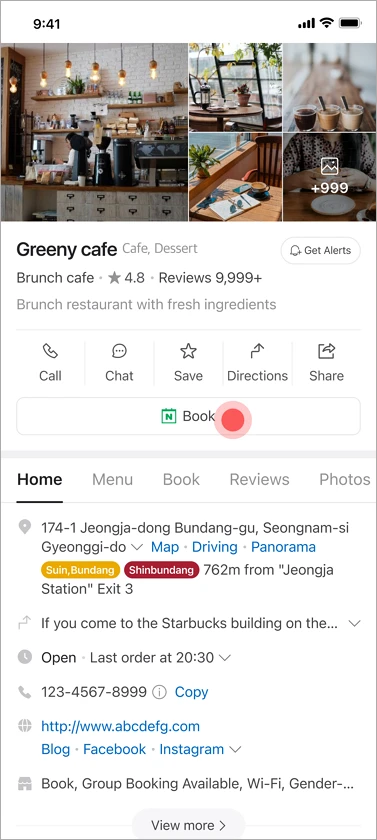
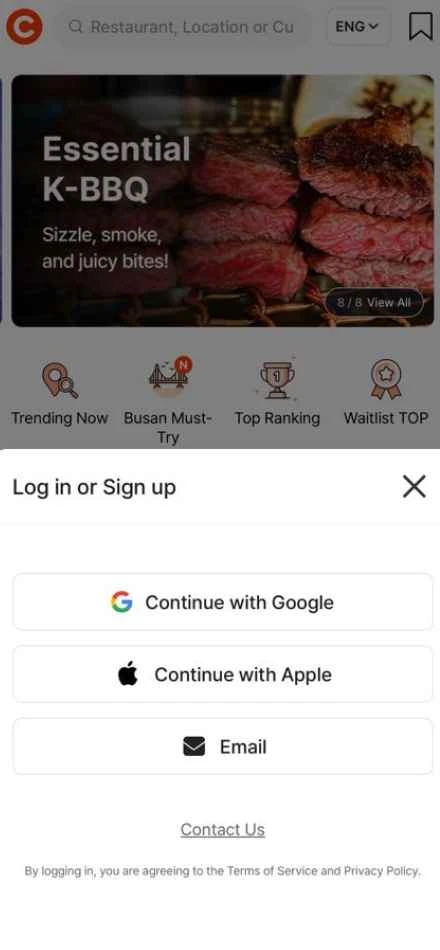
The first two screens show where NAVER exposes a booking flow. The next two show CATCHTABLE Global's visitor sign-in and the difference between joining remotely and registering at the restaurant.
Why CATCHTABLE Global is the easier first check
The international service is separate from the domestic Korean app. The current VISITKOREA guide, updated in June 2026, says international users can sign in with Google, Apple or email without a Korean phone number. It also lists foreign-issued card deposits, 20 languages, future reservations, remote waitlisting and on-site waitlisting.
Those features apply only where the restaurant enables them. Search both the English and Korean branch names. If a listing has no Reserve button, the restaurant might be outside its release window, fully booked, or configured for a waitlist instead. Read what the page offers rather than treating every missing time slot as the same problem.
For a remote waitlist, CATCHTABLE shows the number of parties ahead and sends a queue number by email. The app can display the live queue. This is not a promised seating time: stay close enough to return, monitor the status and follow the branch's call and grace-period instructions. VISITKOREA states that remote and on-site waitlists do not require a deposit.
NAVER works for more visitors now, with conditions
Blanket advice that NAVER Booking always requires a Korean phone number is outdated. NAVER's foreign-visitor Booking and Order notice says participating businesses have been able to accept non-resident foreign visitors since June 19, 2025. English, Japanese and Simplified Chinese are provided through automatic translation, and eligible prepaid bookings can accept overseas cards.
The business remains in control. It can switch foreign-visitor access off, and services requiring adult verification, including alcohol ordering, may remain restricted. NAVER also says a non-resident tourist needs a NAVER ID that has not been converted into a Korean real-name-verified account for this flow.
During Booking or Order, NAVER may instead request foreign-passport verification. That process requires an unexpired non-Korean passport that has not been used on another ID and whose name and birth date match the NAVER account. The user photographs the original passport and completes a face check. Prepare this before a competitive release rather than beginning it when only one time slot remains.
The NAVER booking guide also separates a request from a confirmed booking. Booking in progress or Booking request means the business is checking availability. Build the meal into the itinerary only after the status changes to Confirm Booking.
Deposits and cancellation rules belong to the branch
A deposit is not automatically a non-refundable booking fee, and it is not guaranteed to come off the final bill. CATCHTABLE's merchant service terms allow each venue to set its own deposit cancellation and refund policy. Some bookings may register a payment method without taking an upfront deposit, then charge a cancellation or no-show fee under the displayed conditions.
Before authorizing a card, check:
- the amount and currency;
- whether the amount is a deposit, a dining prepayment or only a card guarantee;
- how it is handled after the visit;
- the free-cancellation deadline and later refund percentages;
- the late-arrival grace period and no-show charge.
Use the conditions attached to that booking, even if another restaurant on the same platform handled its deposit differently. Save the page before paying and again after confirmation.
If neither platform can complete the booking
Open the exact branch's official website, Instagram profile or NAVER notice and use the method it names. A hotel front desk may be able to call, but assistance depends on the property and restaurant; it is a request, not a guaranteed guest service.
For a branch that accepts walk-ins, arrive outside the busiest meal period and ask, “예약 안 했는데 두 명 가능할까요?” (We do not have a reservation; is a table for two possible?) Do not transfer money through an unverified direct message or buy someone else's reservation. Use a channel linked by the restaurant, the platform checkout or payment at the venue.
Before leaving for the meal, recheck the booking status, cancellation deadline and late-arrival rule. Keep the Korean branch name visible for staff when its English spelling differs across platforms.
Facts checked: August 12, 2026.
Sources and image credits
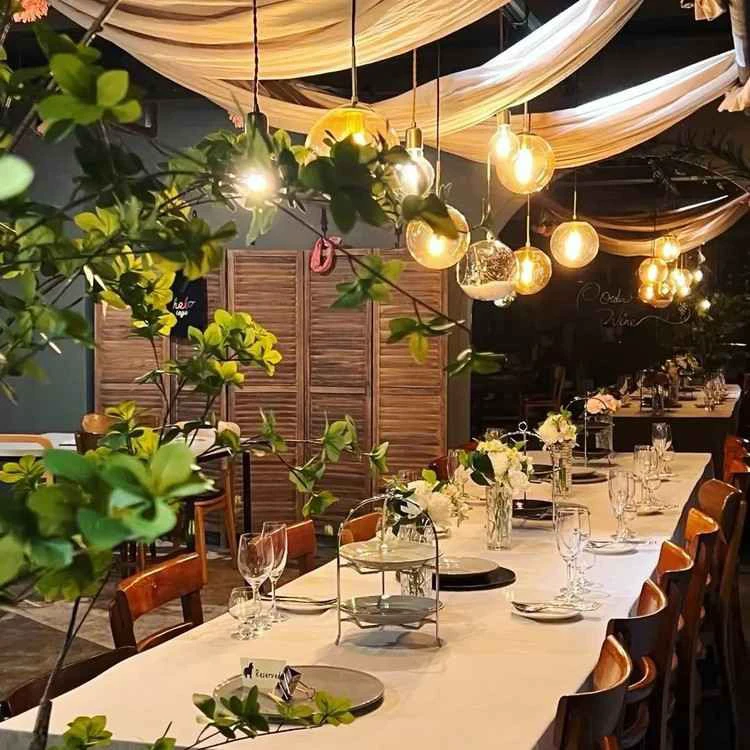
- Delivery Spot cover image — published restaurant-interior cover supplied for this guide; reused under the operator's August 9, 2026 rights confirmation.
- VISITKOREA — CATCHTABLE Global visitor guide — current sign-in, phone-number, foreign-card, language, reservation and waitlist information; also the source and credit for the two CATCHTABLE screens; rechecked August 12, 2026.
- CATCHTABLE Global — current international restaurant search and booking service; rechecked August 12, 2026.
- CATCHTABLE merchant service terms — venue-set deposit, cancellation and refund configuration; rechecked August 12, 2026.
- NAVER Help — how users make bookings — Book-button availability and request-versus-confirmation states; also the source and credit for the two NAVER screens; rechecked August 12, 2026.
- NAVER Help — foreign-visitor Booking and Order — business opt-in, supported translation languages, overseas-card prepayment and account conditions; rechecked August 12, 2026.
- NAVER Help — foreign-passport verification — eligible passport and face-check requirements; rechecked August 12, 2026.
- Delivery Spot NAVER search screen — published web asset derived from the NAVER Help booking guide above.
- Delivery Spot NAVER listing screen — published web asset derived from the NAVER Help booking guide above.
- Delivery Spot CATCHTABLE sign-in screen — published web asset credited to CATCHTABLE Global via VISITKOREA above.
- Delivery Spot CATCHTABLE waitlist screen — published web asset credited to CATCHTABLE Global via VISITKOREA above.
Last updated


