
Can You Buy a K-pop Light Stick at the Concert?
Sometimes—but a booth does not guarantee stock or concert syncing. Confirm the exact version, batteries, payment, and pairing method before relying on venue purchase.

You can buy an official K-pop light stick at some concert venues, but only when that concert’s newest official notice lists the exact model and a sales or pickup booth. A booth does not reserve stock for you: official notices can change operating days, impose purchase limits, and end sales early when an item sells out.
If synchronized lighting matters, buying the confirmed compatible version in advance is safer. If you buy on the day, arrive during the announced window with the accepted payment method and enough time to install batteries, update firmware, test power, and pair only if that concert requires it.
The 60-second answer
- Official event notice lists the exact light stick and booth: on-site purchase is possible, not guaranteed.
- Notice lists only other merchandise: do not assume the light stick will be added.
- You already own an older official version: confirm that version’s wireless-control support for this show.
- You need the light stick to sync: complete the event’s own pairing method; there is no universal K-pop process.
- No official stock notice or seller is outside the named booth: skip it rather than risk an unofficial product.
Check four things before concert day
1. Is the exact model listed for this event?
Open the newest official merchandise or booth notice. Look for:
- exact product name and version;
- sales or pickup date and hours;
- booth location;
- purchase limit, stock warning, and update timestamp.
The ended June 2026 BTS WORLD TOUR ‘ARIRANG’ IN BUSAN notice is a useful official example, not a schedule for another show. It listed an on-site merchandise booth, a separate light stick express booth, and app-based pickup; it also warned that every item could sell out early and later removed one operating day from the express booth. Always reopen the current event notice instead of relying on a saved image.
2. Is your version supported by the show?
“Official” does not mean “compatible with every concert.” The BTS example supported Ver.4 service, pairing, and wireless control, while stating that Ver.3 and Special Edition did not support pairing or wireless control for that event.
Match the version printed on the handle, box, manual, or official app with the version in the concert notice. An older model may still light manually yet stay outside the show’s central color control.
3. Does this event require seat pairing?
There is no one K-pop-wide pairing rule. Official 2026 notices show both systems:
- Seat pairing: update firmware, use the named official app, select the event, and register the ticket’s section, row, and seat. A service booth may also help.
- Automatic venue control: no seat registration; enter, then switch on the supported device as instructed.
The ended March 2026 TWS Seoul notice allowed official-app self-pairing and pairing-booth help. The ended July 2026 &TEAM Incheon notice said no seat pairing was needed and told fans to turn on the supported light stick inside. They prove that methods differ; neither tells you what a future concert will use.
4. What powers the exact model?
Do not assume batteries are included. The current BTS Official Light Stick Ver.4 product page, rechecked August 12, lists three AAA alkaline batteries and says they are not included. It also warns that low power can distort colors or shut the device down.
Other models can differ. Read the product specification or manual, bring the stated number of new alkaline batteries in their packaging, and do not mix old and new cells. The current TXT Official Light Stick Ver.2 page was marked sold out when rechecked; a store product page is not evidence of venue stock.
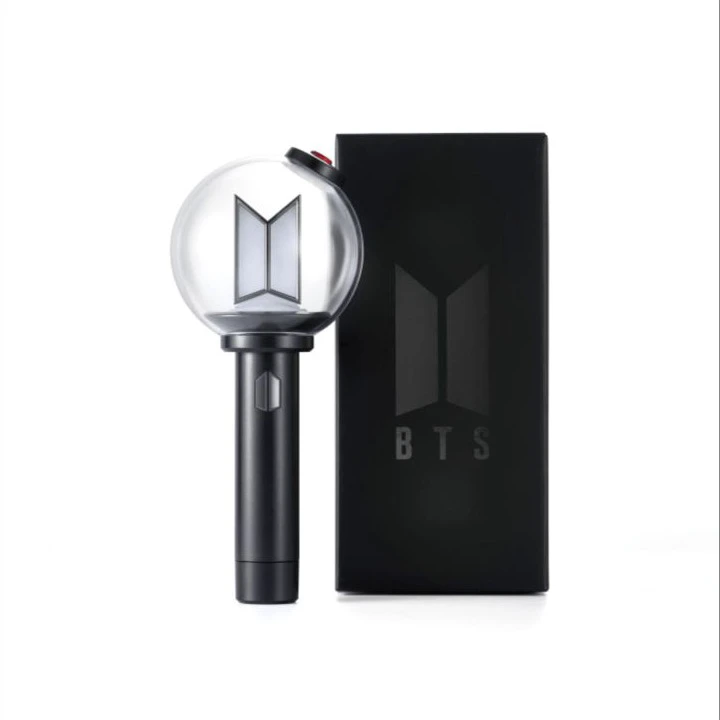
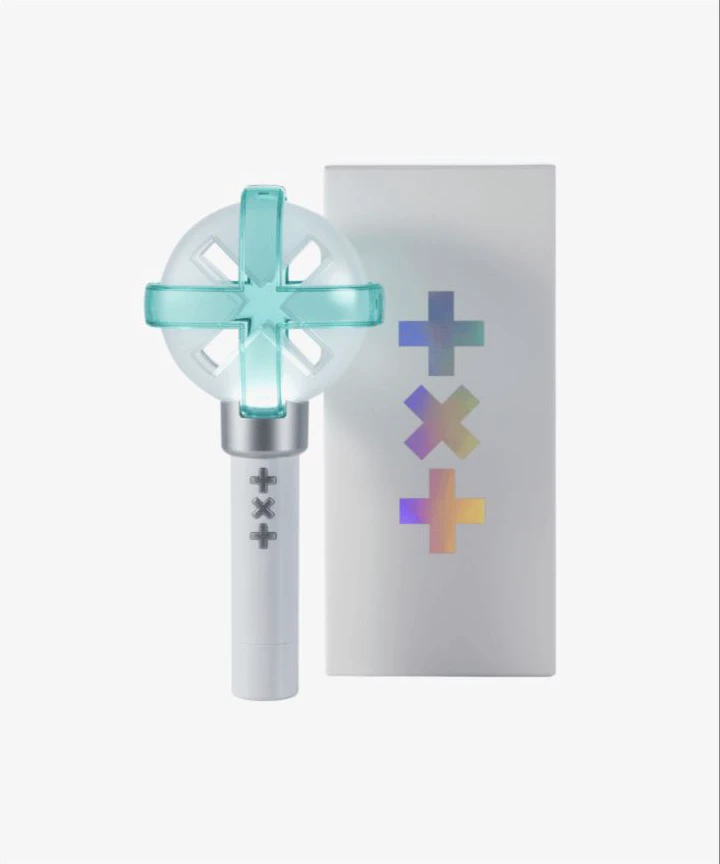
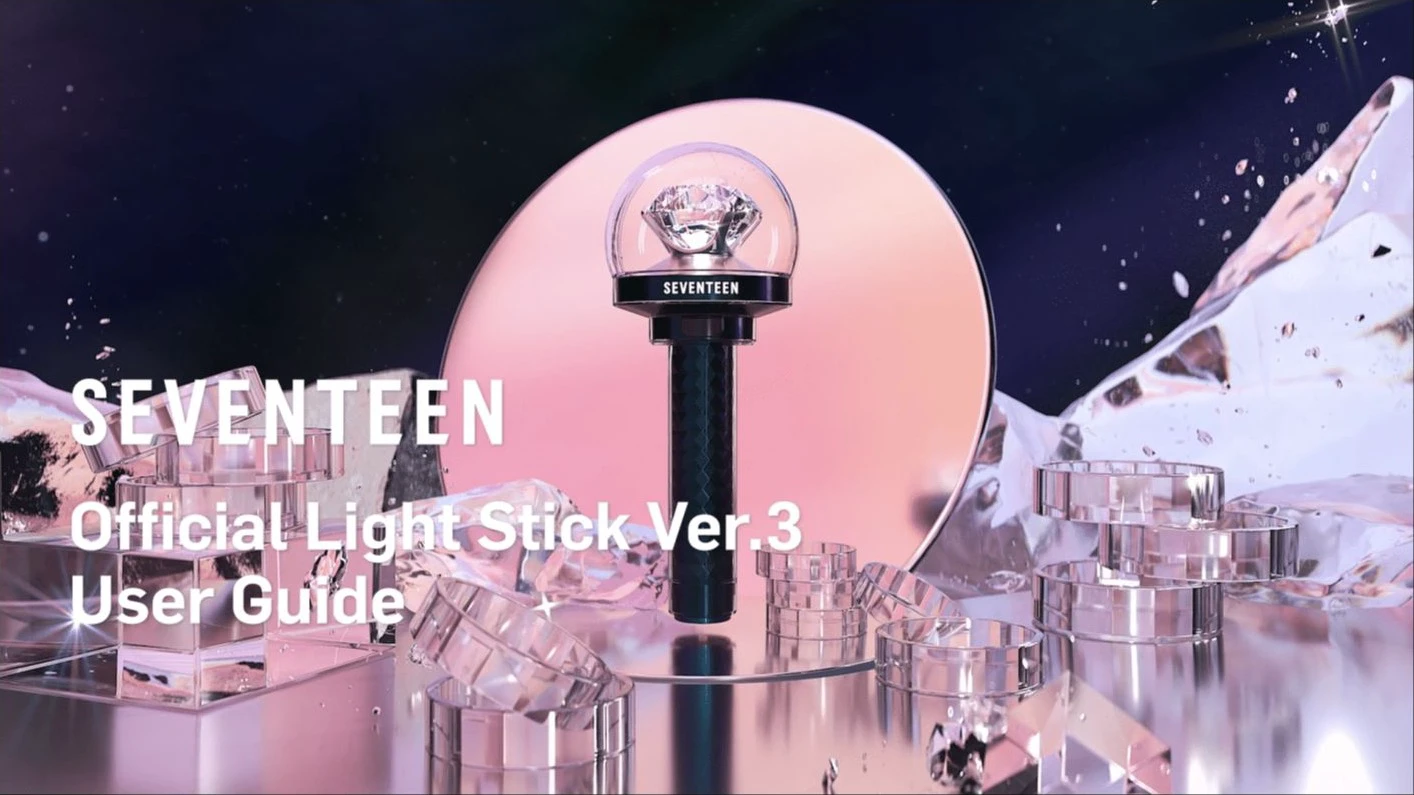
Official designs, app controls, versions, and power requirements differ. Match names and version numbers; appearance alone is not a compatibility check. The SEVENTEEN Official Light Stick Ver.3 user guide is an official manual/asset example, not an instruction for another artist’s device.
When venue purchase is reasonable
Buying on site can work when the current notice explicitly lists stock, you can arrive early, you accept the sellout risk, and an official service booth is available long enough to test or pair. App-based on-site pickup can reduce time uncertainty only after you have successfully bought the item and reserved any required pickup slot.
Do not make on-site purchase your only plan when:
- you will reach the venue close to doors;
- the notice says limited stock or early sellout;
- you need a firmware update or seat registration;
- you do not know which version is supported;
- a missing light stick would materially disappoint you.
No official source can guarantee stock remaining when you reach the counter. A planned booth confirms the sales plan, not your item.
Before joining the line
- Confirm that the booth appears in the event notice or official venue map.
- Check the live sold-out list, purchase limit, update timestamp, and operating-hour changes.
- Read the payment rule. The BTS, TWS, and &TEAM examples accepted cash and credit cards in KRW for on-site sales but warned that some cards could fail; another promoter may differ.
- For app pickup, check the eligible shop region, location radius, reservation time, order QR code, and identity rule. In the BTS example, purchase required being within 30 km and pickup used a reserved slot plus order QR code.
- Do not create an overnight queue when prohibited. All three official example notices said unsafe overnight lines could be dispersed.
At the official counter
Ask for the exact supported version. Keep the receipt and payment method. Before leaving the booth area, follow staff instructions and inspect the box, strap, manual, battery compartment, and included accessories without damaging sealed packaging.
Avoid sellers outside the announced official area. A convincing box does not establish authenticity, and an unofficial device may not connect to central control. If the notice names Weverse and the venue booth as the official channels, that does not authenticate a nearby street seller.
Set it up immediately
Move away from the sales line, then:
- Insert the correct new batteries in the marked direction.
- Turn on the light and check for stable power.
- Install only the official app named in the event notice or manual.
- Complete firmware updates before the mobile network becomes crowded.
- Pair the seat only if the notice says to and its pairing window is open.
- Use the official service booth before it closes if power, firmware, or connection fails.
Screenshot the official pairing instructions and ticket details in advance. Venue data can slow when thousands of fans arrive. Enter the section, row, and seat exactly as printed; do not invent abbreviations when the app rejects the format.
If it will not pair
- Reconfirm the concert date and supported version.
- Replace all batteries with one fresh set of the correct type.
- Check every battery’s polarity.
- Update the official app and firmware.
- Remove an old event registration only when the app or staff instructs you to reset.
- Re-enter section, row, and seat exactly.
- Visit the service booth while it is open.
Do not repeatedly force a firmware update on weak batteries. Low power can cause shutoff or interrupt wireless control and does not by itself prove the light stick is defective.
A safer decision rule
Buy in advance when the official store has the supported version, you are traveling from overseas, or you want time to test power, firmware, and the app.
Buy at the venue only when the latest event notice names the model and booth, you can arrive early, and you accept that it may sell out.
Skip the purchase when the version is unsupported, the seller is unofficial, setup would make you miss ticket pickup or entry, or the purchase creates financial pressure. A light stick adds to the visual atmosphere; it is not an entry requirement unless the organizer explicitly says otherwise.
The specific BTS, TWS, and &TEAM events above have ended and are used only as official 2026 examples. Product pages and all notices were rechecked August 12, 2026. Always follow the newest notice for your exact artist, date, city, and venue.
Sources and image credits
- BTS WORLD TOUR ‘ARIRANG’ IN BUSAN official notice — Ended June 2026 example for on-site sales, app pickup, early sellout, booth updates, Ver.4 pairing/service, batteries, and overnight-queue rules; rechecked August 12, 2026.
- TWS 2nd Fanmeeting in Seoul official notice — Ended March 2026 example for self-pairing and service-booth pairing; rechecked August 12, 2026.
- &TEAM ‘BLAZE THE WAY’ in Incheon official notice — Ended July 2026 example for automatic venue control without seat pairing; rechecked August 12, 2026.
- BTS Official Light Stick Ver.4 — Official product name, contents, three-AAA requirement, batteries-not-included statement, and low-power warnings; rechecked August 12, 2026.
- TXT Official Light Stick Ver.2 — Official product and image source; page showed sold out when rechecked August 12, 2026.
- SEVENTEEN Official Light Stick Ver.3 user guide — Official guide and image source; rechecked August 12, 2026.
- Delivery Spot cover image — Published SEVENTEEN light stick asset from PLEDIS Entertainment / Weverse under operator-confirmed reuse authorization.
- Delivery Spot BTS image — Published BTS product asset from BIGHIT MUSIC / Weverse Shop under operator-confirmed reuse authorization.
- Delivery Spot TXT image — Published TXT product asset from BIGHIT MUSIC / Weverse Shop under operator-confirmed reuse authorization.
- Delivery Spot SEVENTEEN guide image — Published guide asset from PLEDIS Entertainment / Weverse under operator-confirmed reuse authorization.
Last updated


